At The Soulwinning App (SWAPP), we help churches and fellowship groups streamline outreach through real‑time mapping, prospect tracking, ministries, events, prayers, and unified communication. Signing up is quick—whether you’re a traditional church or a fellowship group. This guide walks you through creating your account, clarifies fellowship group registration, and offers troubleshooting for email verification.
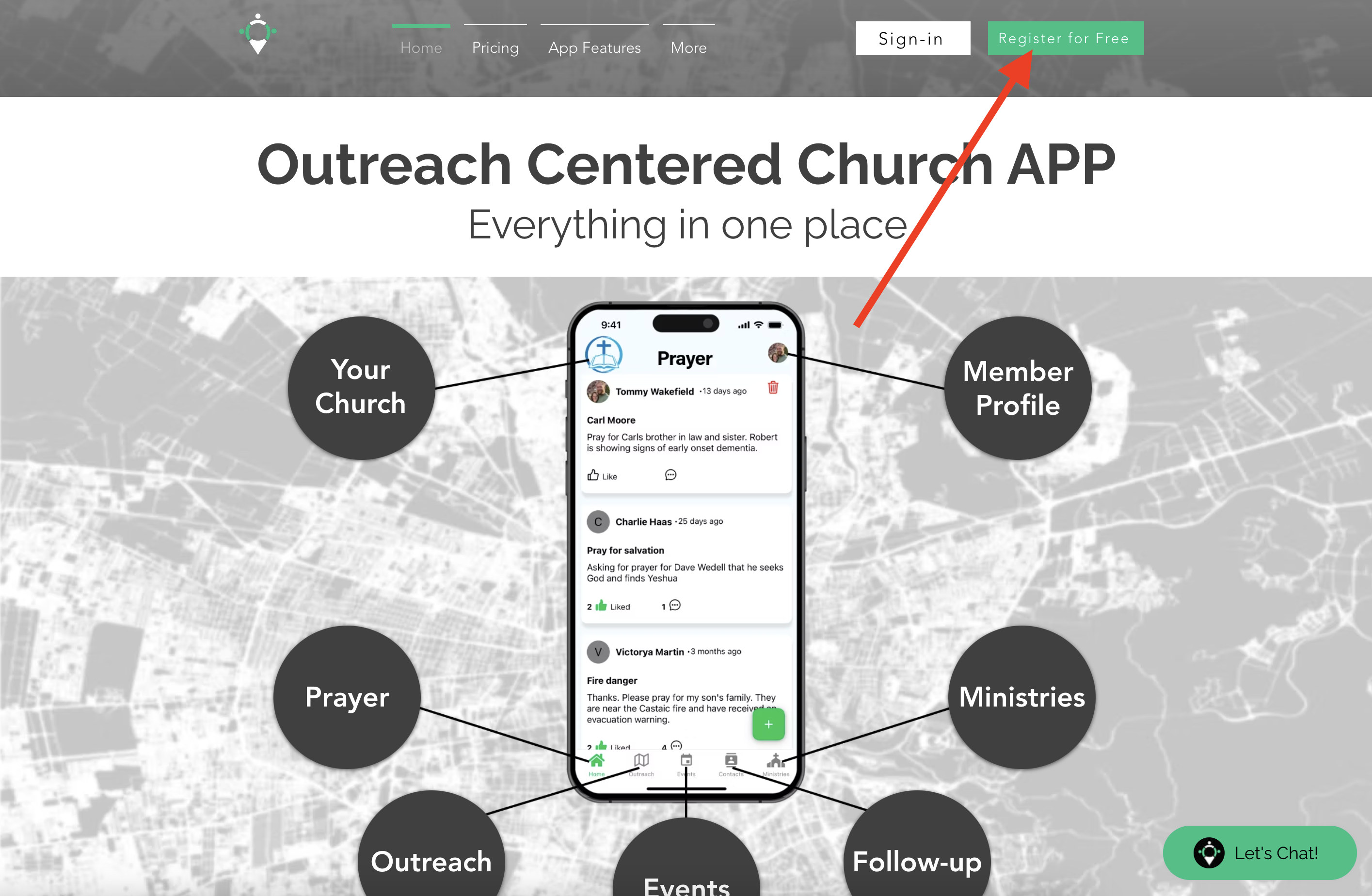
Step-by-Step Guide to Sign Up
1. Visit the SWAPP Website
Open your browser and go to thesoulwinningapp.com. On the homepage, click the Sign Up / Register button (top‑right).
2. Select “Register for free”
Click Register for free to begin. This supports both churches and fellowship groups that want to manage outreach, prayer, events, and communication in one custom church app.
3. Fill in Your Details
- Church or Group Name: Enter your church or fellowship group name.
- Email Address: Use an accessible email (needed for verification).
- Password: Create a secure password you’ll remember.
- Phone Number: Optional in some cases; helpful for verification.
- Zip Code & Address: Enter your address or locate your church via Google Maps.
4. Submit Your Information
Click Submit / Create Account. A verification email is sent to the address provided.
5. Verify Your Email
Check your inbox (and spam). Open the SWAPP email and click the verification link to activate your account. If no email arrives, see troubleshooting below.
6. Log In and Start Customizing
After verification, log in with your email and password, start creating maps, organizing prospects, and setting up ministries and events.
Signing Up as a Fellowship Group
Not a traditional church? Enter your fellowship group name where it asks for “Church Name.” SWAPP supports outreach‑focused groups passionate about unity and communication—even if you’re small or informal. Features remain geared toward equipping members to impact their community.
Troubleshooting Email Verification Issues
- Check Spam/Junk: Verification emails can be filtered.
- Wait 5–10 Minutes: Delivery can be briefly delayed.
- Resend Verification: Attempt login or use Forgot Password—SWAPP may re‑send the link automatically.
- Confirm Email Accuracy: Typos prevent delivery—double‑check the address.
- Contact Support: Email tommy@theswapp.io or call (616) 914‑8392 for manual verification.
Need More Help?
If you need further assistance, reach out via site chat, email tommy@theswapp.io, or call (616) 914‑8392. We’re here to help you serve Jesus and reach your community effectively!