In the Soul Winning App, we've just made managing your prospects even easier with a brand-new feature: the ability to tag prospects. This functionality empowers you to organize and categorize your contacts efficiently, making follow-up and outreach efforts a breeze.
Tagging Prospects: A Step-by-Step Guide
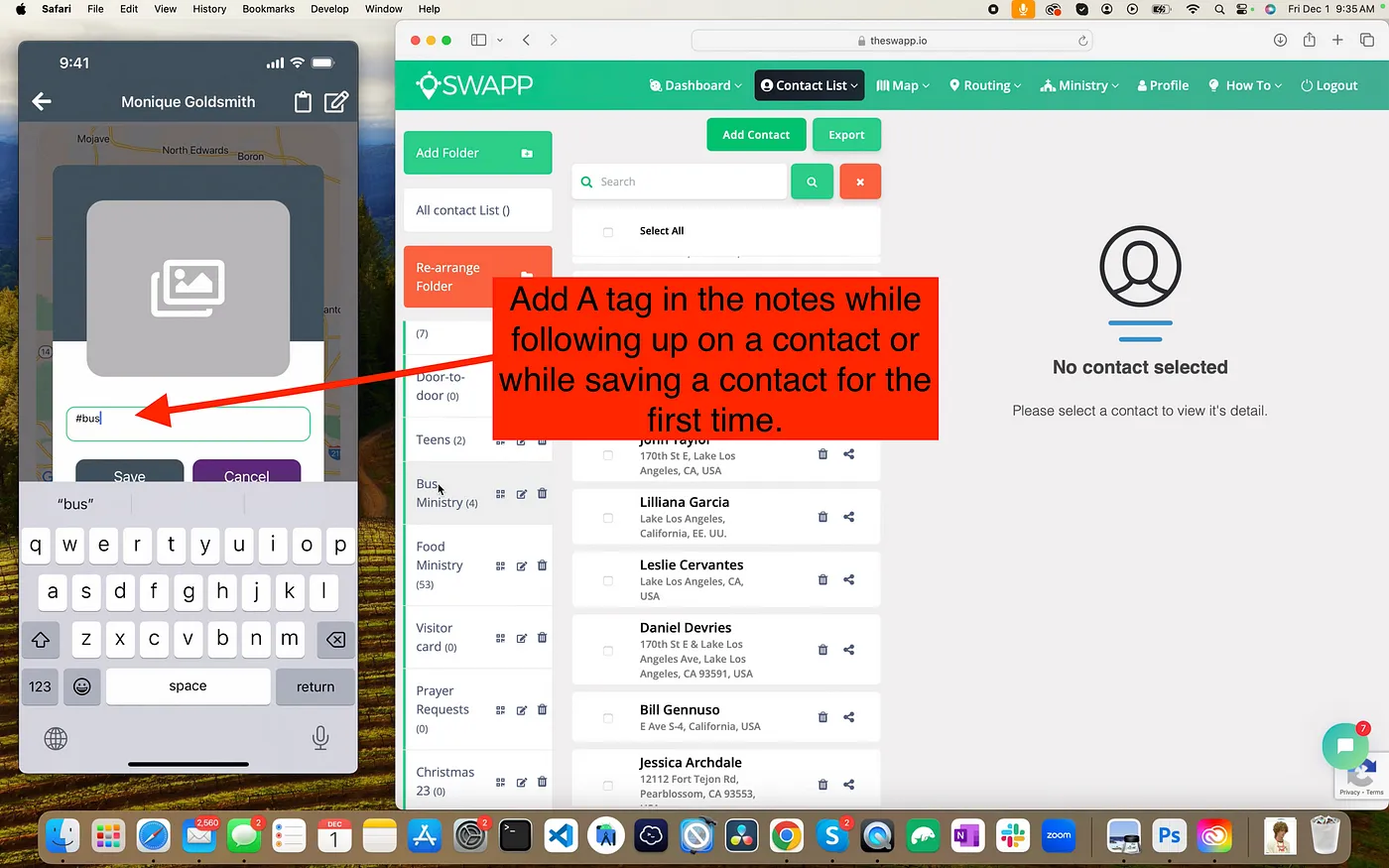
- Access a Prospect: Navigate to your prospect list and select the prospect you want to tag.
- Open the Edit View: Click on the prospect to open their details, and you'll notice the new tagging feature.
- Add Tags: Enter relevant tags to categorize the prospect. For instance, you can tag prospects as "Salvation," "Visitor," or "Christmas Outreach" to identify the context of your contact.
- Add Notes: Additionally, you can now add notes to prospects, providing extra information to guide your follow-up efforts.
Searching and Organizing Tagged Prospects
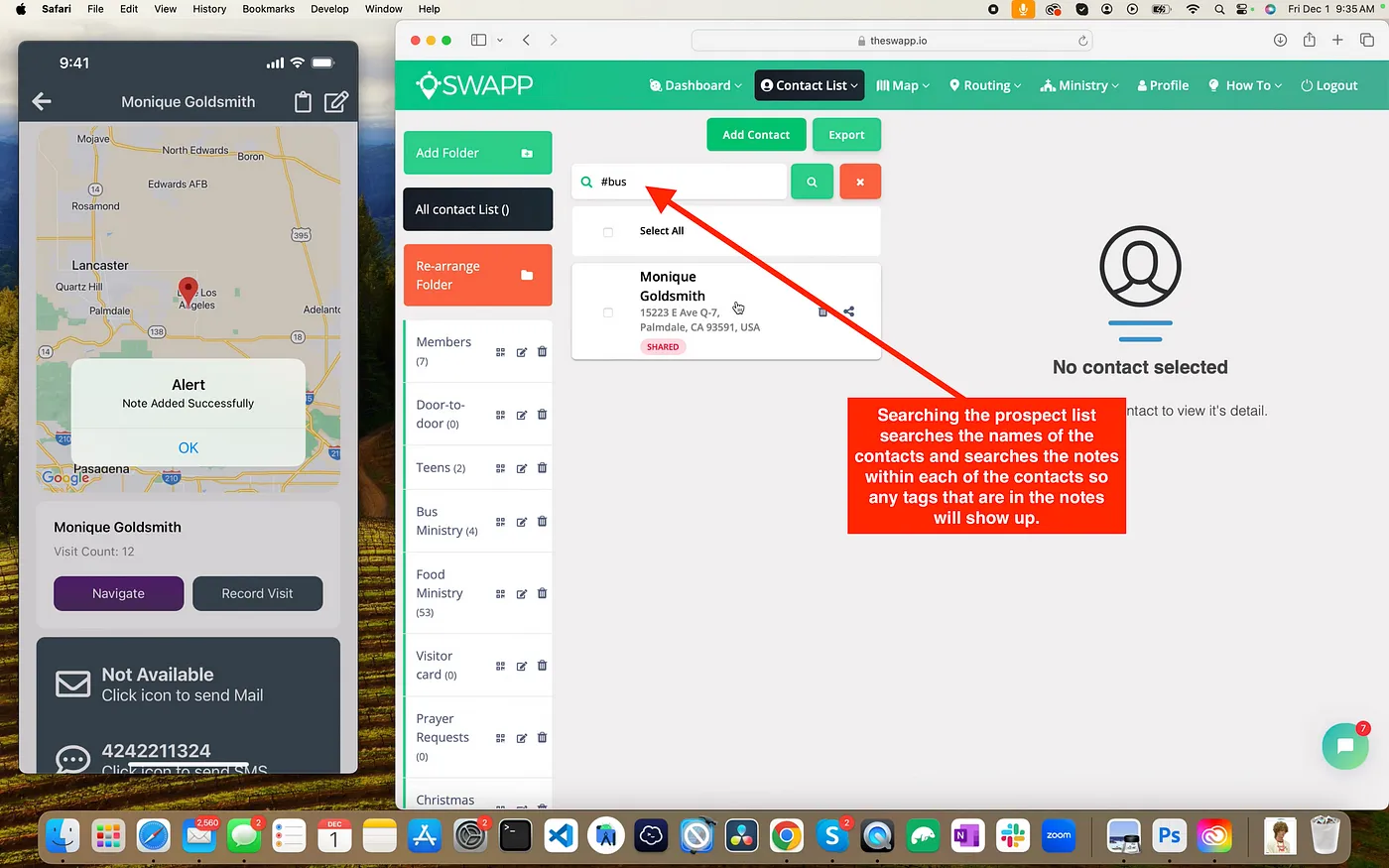
Once you've tagged your prospects, the Soul Winning App becomes an efficient organizational powerhouse. You can:
Search by Tag: Use the search feature to quickly find prospects based on specific tags. Looking for all your "Christmas Outreach" contacts? Simply type the tag into the search bar, and they'll appear instantly.
Filter by Folder and Tag: Tags work seamlessly across folders. Whether your prospect is in a general folder or a specific outreach campaign folder, the tags help you filter and locate them effortlessly.
Team Accessibility: Admins See All
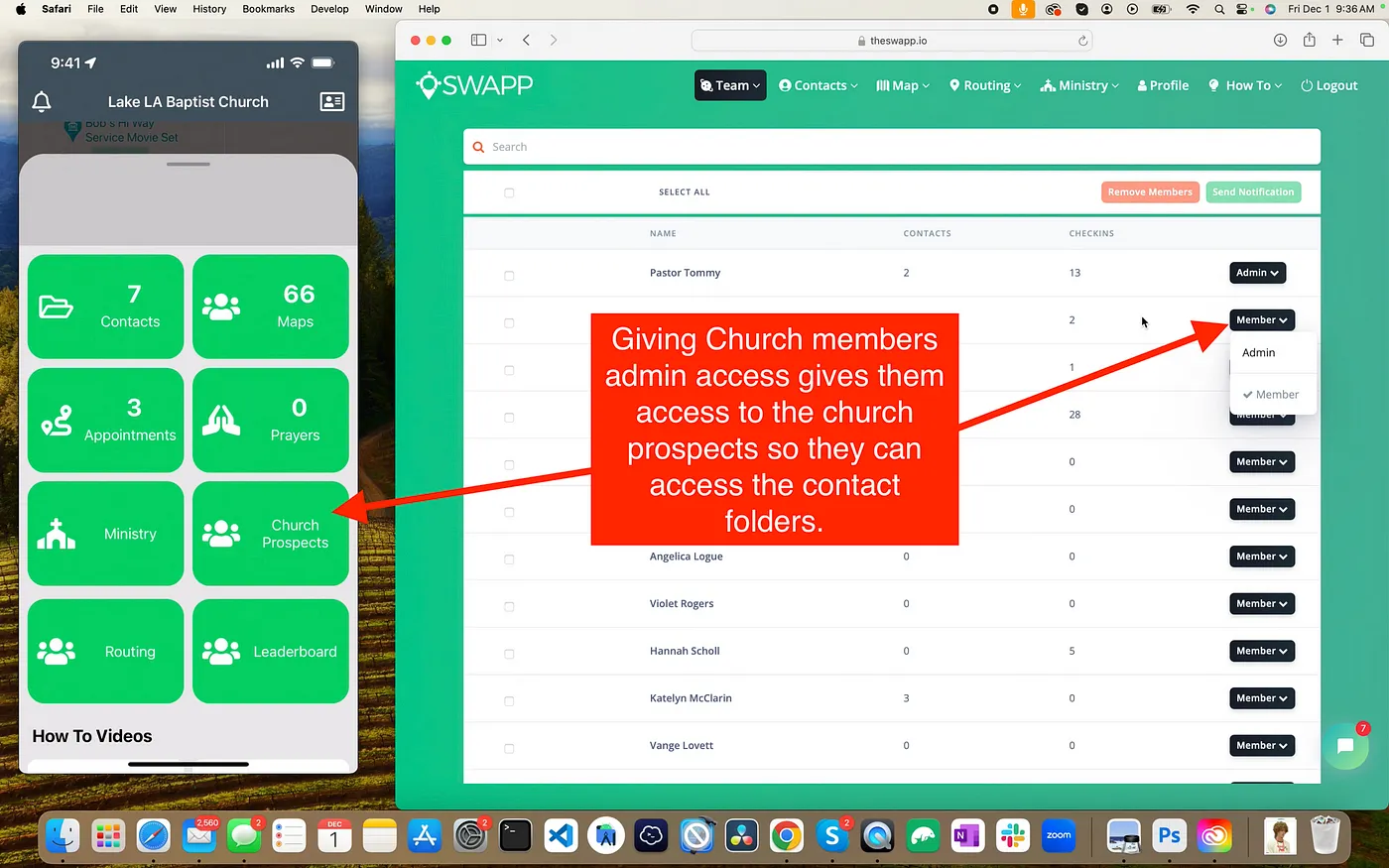
Administrators have full visibility into all prospects, regardless of who added them. This ensures that church leaders can oversee outreach efforts across the entire team, even if individual soul winners tagged their own prospects.
Advanced Feature: Creating Routes with Tagged Prospects
One of the most powerful uses of prospect tagging is the ability to create custom routes from your tagged contacts. Here's how:
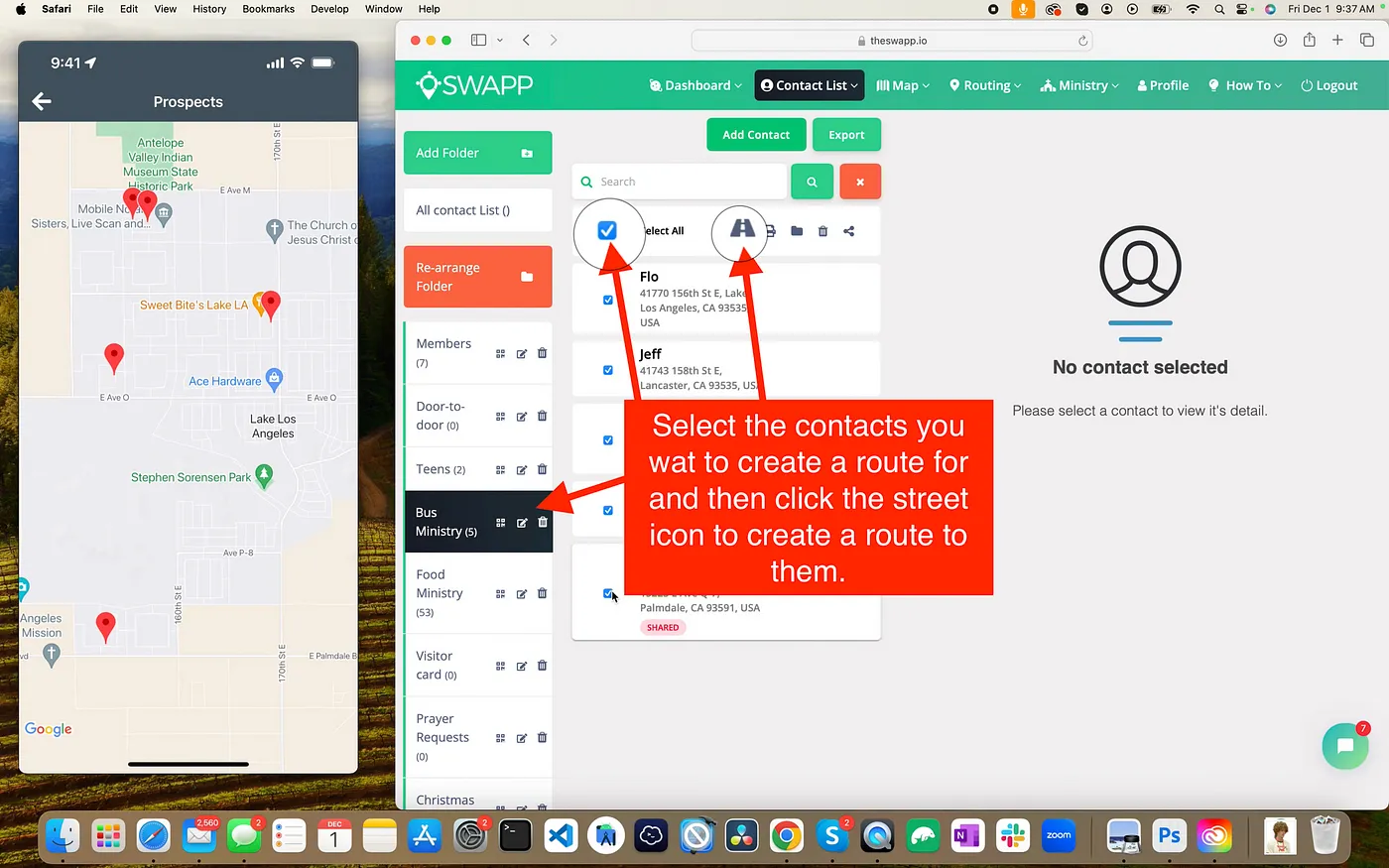
- Filter Prospects: Use tags to filter prospects (e.g., "Salvation" or "Visitor").
- Select Contacts: Check the boxes next to the prospects you want to include in your route.
- Create Route: Click the "Create Route" button to automatically generate a follow-up route based on the selected prospects.
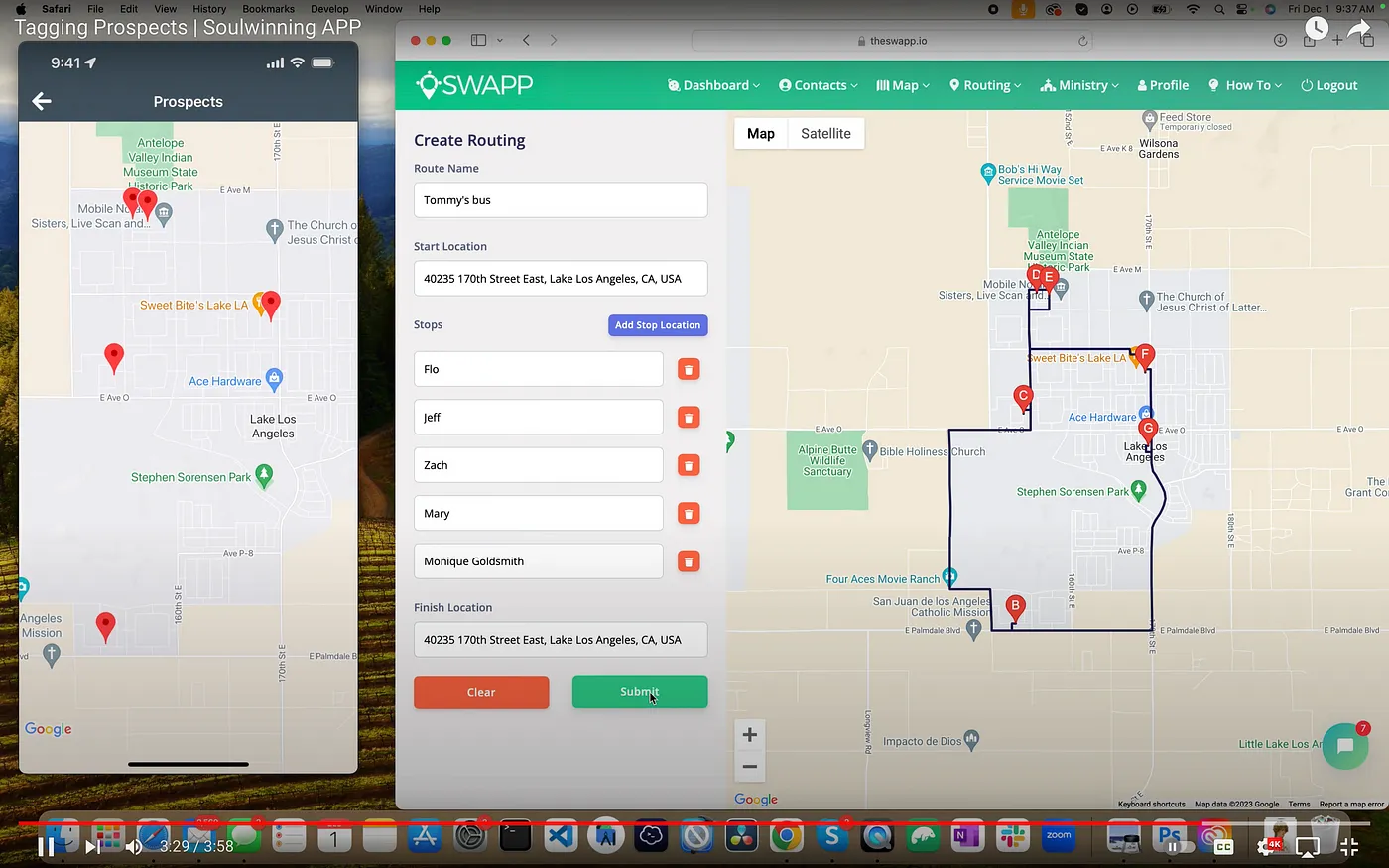
This feature is perfect for organizing targeted outreach campaigns, ensuring no contact is left behind.
Conclusion
The new tagging feature in the Soul Winning App is designed to streamline your follow-up process and enhance your organizational capabilities. Whether you're tagging contacts for specific campaigns or creating custom routes, this tool will help you stay organized and effective in your outreach efforts.
Start tagging your prospects today and experience the power of organized, efficient soul winning!