Subscriptions in SWAPP are managed through the Church admin dashboard on the web version, not the mobile app, ensuring admins have full control over account settings. In this guide, we'll walk you through the steps to cancel your SWAPP subscription, address common challenges, and provide options for updating your subscription if needed. Let's make this process as seamless as possible for you.
Step-by-Step Guide to Cancel Your SWAPP Subscription
Follow these steps to unsubscribe from SWAPP. You'll need to log in as the admin who registered the church account and use the Church admin dashboard on the web version (not the mobile app) to manage your subscription.
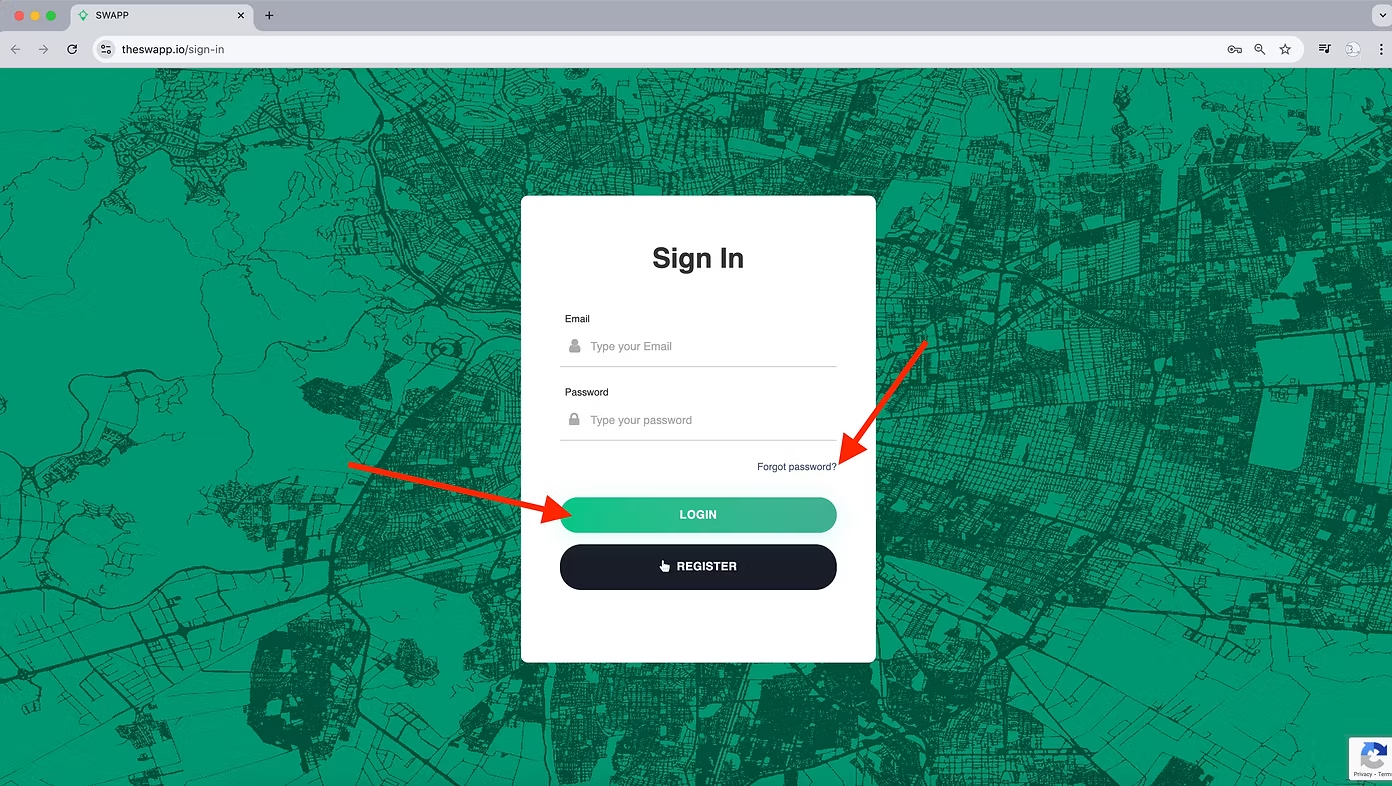
1. Log In to Your Account on the Web Version
Visit thesoulwinningapp.com on a web browser and log-in (Sign-in) using the email address associated with your church's account. This is typically the email used to register the church or the one receiving subscription receipts. Note that subscription management is only available through the Church admin dashboard on the web, not the mobile app.
Don't Know the Email?
If you're unsure of the email used to register the church or aren't receiving email receipts but your card is being charged, don't worry. Click here or chat with us to get help identifying your church account or email.
Forgot Your Password?
If you don't remember your password, use the password reset option on the login page. Click Forgot Password, enter your email, and follow the instructions to reset it. It's a quick and easy process to get you back into your account.
2. Navigate to the Church Profile in the Admin Dashboard
Once logged in, you'll be in the Church admin dashboard. Locate the Church Profile in the top-right corner of the screen. Click on your church's name or profile icon to access the profile settings.
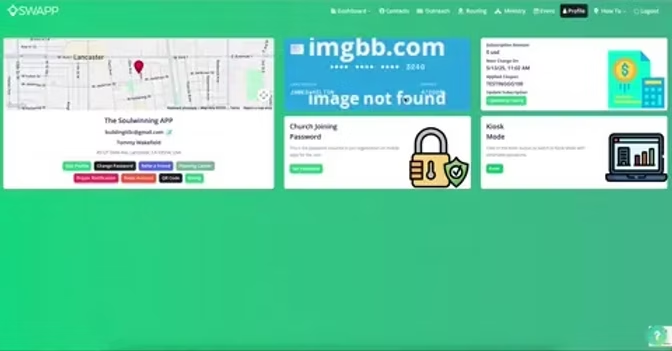
3. Find Payment Information
In the Church Profile, scroll to the Payment Information section. This area displays your subscription details, including the card used for payments.
4. Cancel the Subscription
Mouse over the card information to reveal the Cancel Subscription button. Click Cancel to unsubscribe. You'll receive a confirmation that your subscription has been canceled, and no further charges will be applied.
Troubleshooting Common Cancellation Issues
We strive to make canceling your subscription straightforward, but some users encounter challenges. Here's how to address common scenarios:
Card Info Not Displaying or Cancel Button Not Working?
If the card information isn't showing up or the Cancel Subscription button isn't working, there may be a technical issue. Click Here or chat with us to get assistance from our support team, and we'll resolve the problem promptly.
Need to Update Your Subscription Instead?
If you're not ready to cancel but want to switch from a monthly to a yearly plan, apply a coupon code, or make other changes to your subscription, we've got you covered. Read more on how to update your subscription details without canceling.
Why You Might Be Facing These Challenges
Here are some common scenarios users face when trying to unsubscribe, and how we can help:
Unknown Email or No Receipts
If your card is being charged but you don't know the email associated with the account, it's possible the church was registered by another team member, or the email isn't receiving our notifications. Our support team can help identify the correct email to ensure you can log in and manage your subscription.
Forgotten Password
It's easy to forget a password, especially if multiple team members manage the account. The password reset option is designed to get you back into your account quickly, so you can proceed with cancellation or updates.
Technical Glitches
If the card info doesn't display or the cancel button fails, it could be due to a browser issue, a temporary glitch, or an account-specific problem. Our support team is ready to assist in resolving these issues.
Using the Mobile App
The mobile app is designed for on-the-go tasks like managing maps and contacts, but subscription management is exclusively handled through the Church admin dashboard on the web version. Make sure you're accessing thesoulwinningapp.com on a browser to cancel or update your subscription.
We're Here to Support You
We're grateful for the opportunity to serve your church's soulwinning efforts, and we're here to help even if you need to cancel your subscription. If you encounter any issues or have questions about the process, contact our support team at tommy@theswapp.io or (616) 914-8392. We're committed to ensuring your experience with SWAPP is positive, whether you're an active user or taking a step back. If Price is an issue for you we can work with you, reach out to us so we can get you a coupon code.